My Experiences
The My Experiences tab is your personal dashboard for every Authored Experience you have created inside the app (duplicates of Core content or fully customised originals).
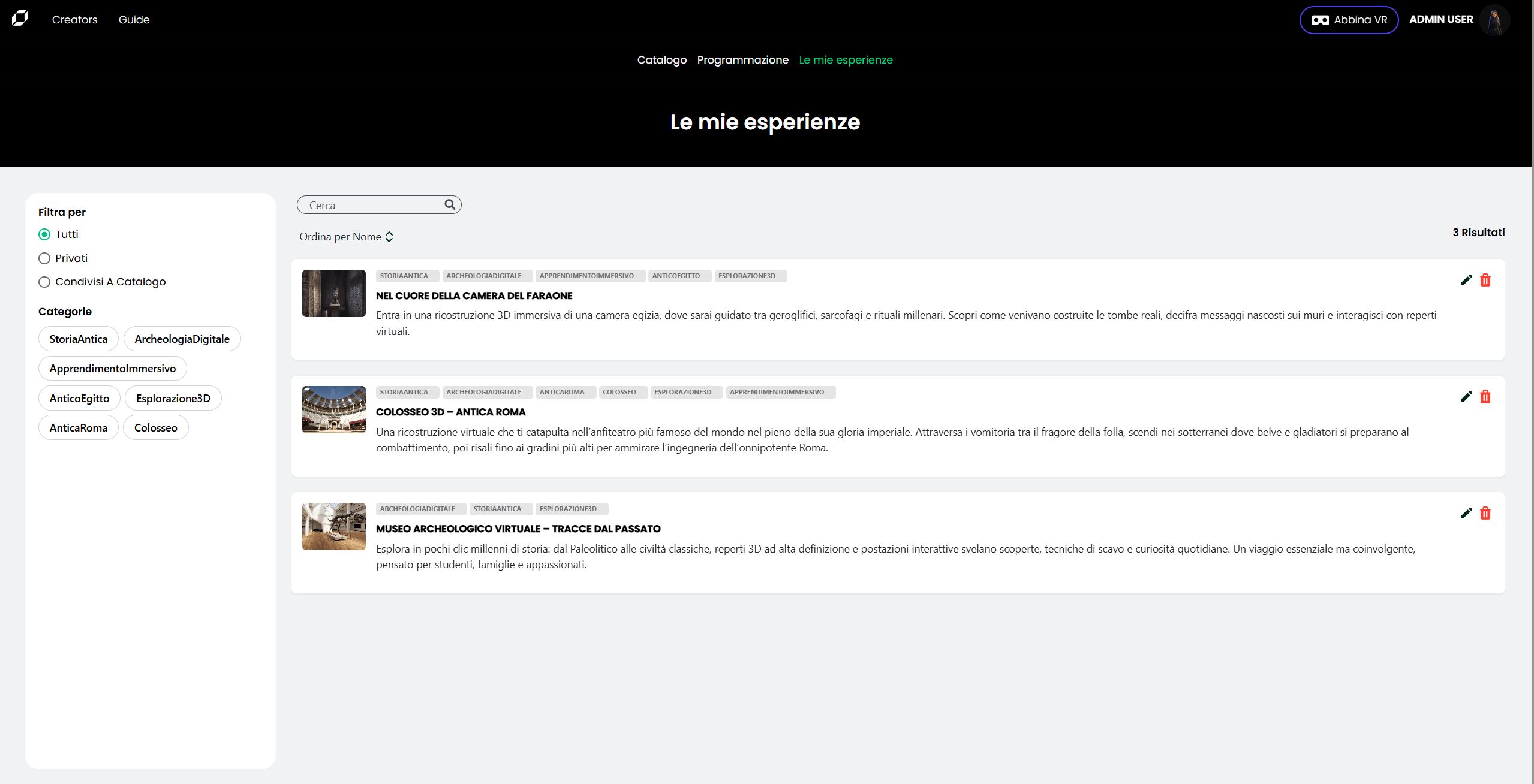
Page layout
| Area | Description |
|---|---|
| Filter sidebar | Radio selector (All ▸ Private ▸ Shared to Catalog) and Content Tag pills to narrow the list. |
| Search bar | Finds experiences by title. |
| Sort by | Re-orders the list (Name, Creation date, etc.). |
| Experience rows | Thumbnail, tag set, title, short description and two action icons –  Edit / Edit /  Delete. Delete. |
| Results counter | Top-right, shows how many items match current filters. |
Filters explained
| Option | What you see |
|---|---|
| All | Every authored experience you own, regardless of status. |
| Private | Experiences visible only to you (not listed in the public Catalog). |
| Shared to Catalog | Experiences already published to everyone in the World. |
Click any Content Tag pill to show only experiences carrying that tag.
Click the pill again to clear the filter.
Editing an experience
Press the icon to open the edit panel.
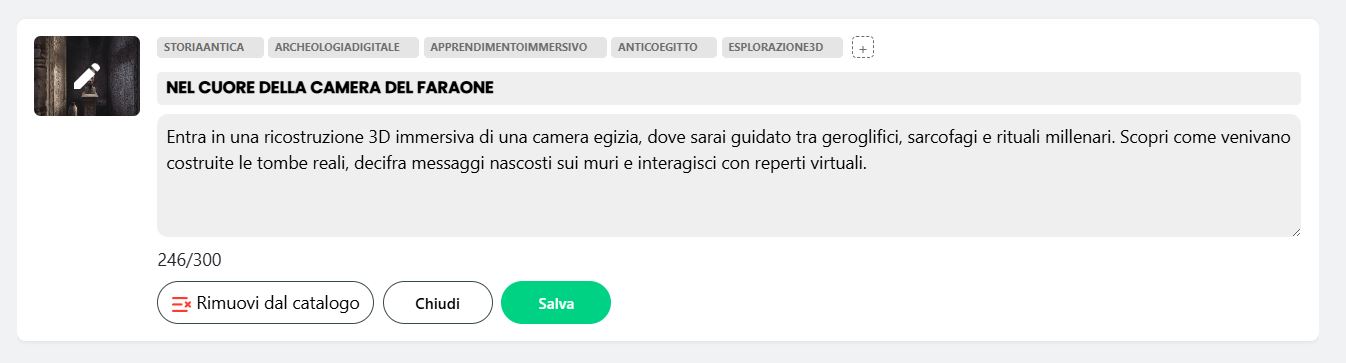
| Field | Notes |
|---|---|
| Title | Display name in the Catalog (max 80 chars). |
| Description | 300-character summary. Counter updates in real-time. |
| Tags | Click the ➕ button to add / remove Content Tags. |
| Thumbnail | Hover the image and click the overlay to upload a new cover. |
Uploading a thumbnail
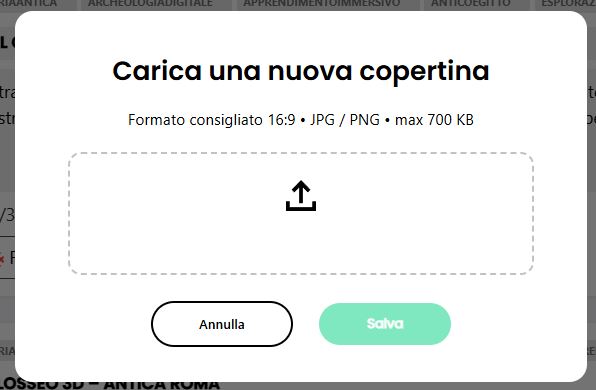
Recommended format: 16 : 9 · JPG / PNG · ≤ 700 KB
Action buttons
| Button | Result |
|---|---|
| Remove from Catalog | Unpublishes the experience (it switches to Private). |
| Close | Discards unsaved changes. |
| Save | Commits all edits instantly. If the item is Shared, updates are live for every user without extra approval steps. |
Live updates Any change saved here is immediately reflected in the Catalog and ongoing sessions (title & thumbnail refresh in real-time).
Deleting an experience
Click the icon. A confirmation dialog appears; once confirmed, the experience and all its sessions are permanently removed and cannot be restored.
Best practices
- Keep it short – titles should stay under 60 characters so they fit on every screen size.
- Unique thumbnails – visually distinct covers help users recognise your content at a glance.
- Tag wisely – adding 2-4 precise Content Tags improves search results and recommendations without cluttering the interface.